Software
LTSpice – high quality, somewhat difficult to use, and ubiquitous circuit simulation software
LTSpice Tutorials
KiCAD – free schematic & PCB design software
CircuitJS – “real-time” circuit simulation that lets you see the behavior of charge.
pros: cute to watch the charge move, instantly gratifying, touch to measure voltage. browser based.
cons: if you speed it up to simulate a long transient, it lags considerably and can take a long time to simulate something not necessarily computationally expensive
Useful Links
LTSpice Model Repository – super useful GitHub repo of SPICE models
Falstad Math, Physics, and Engineering Simulations – simulations of calculus, kinematics, electromagnetism, all sorts of waves, gravity, you name it. We love Falstad!!
Filter Component Value Calculator – tons of different filter topologies and the methods to calculate component values
Impedance Nomograph – once you use it you see how useful it is. perfect for single-pole filters consisting of RL or RC.
Resistor Color Code – mobile-optimized extremely simple interface for determining resistance
Magnetic Field Visualizer – visualize wire, loop, solenoid, toroid, etc geometry effects on magnetic field. We love Falstad!!!
Projects You Might Be Interested In
Simple VCO – a voltage controlled oscillator designed in KiCAD and manufactured, has schematics for you to reference.
AM Radio Related Projects
Button Press-To-Pulse – useful implementation of step-to-pulse “debouncing” for your next projects
Fourier-Adjacent
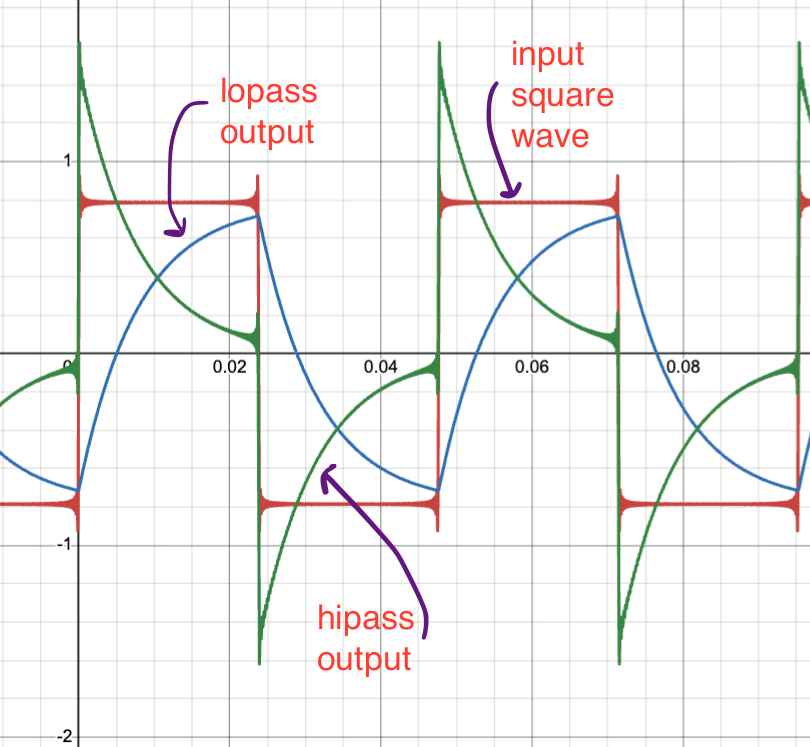
Fourier Highpass Lowpass Desmos
Apply lowpass and highpass filters to a square wave in Desmos itself.
Modify the R and C of simulated single-order RC lowpass and highpass filters.
Modify the amount of terms in the Fourier series of the square wave that generates the “input signal” to observe how the number of higher frequency terms affects the highest possible rate of change in the created signal.
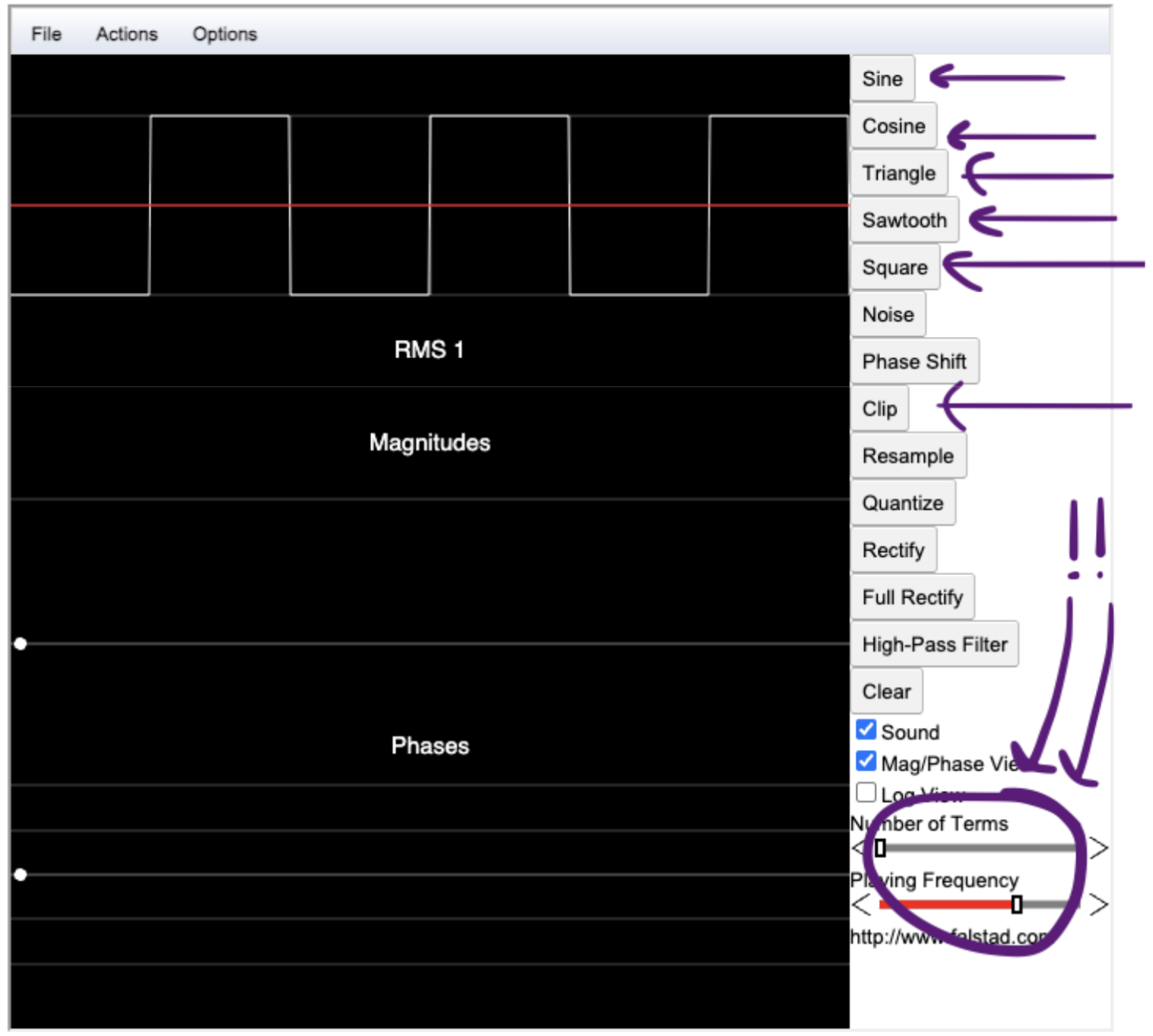
Fourier Series Applet
Listen to waves, change the amount of constituent waves present in the final wave, change the frequency, change the wave in real time and listen to how it changes.
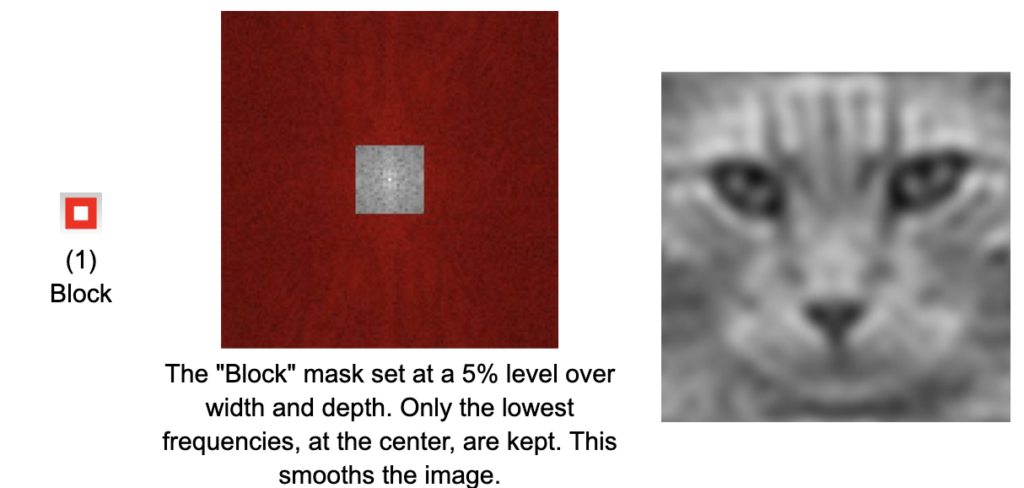
Geomorph’s Fourier Explorer Basics
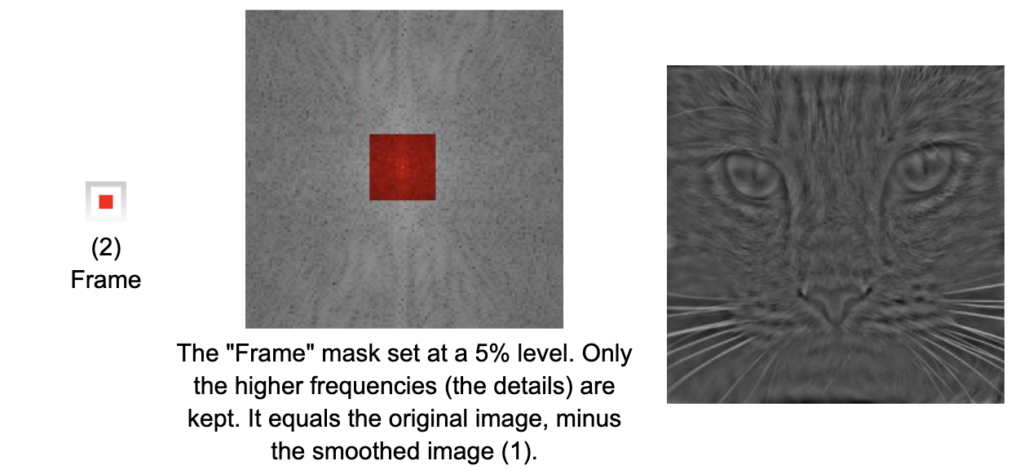
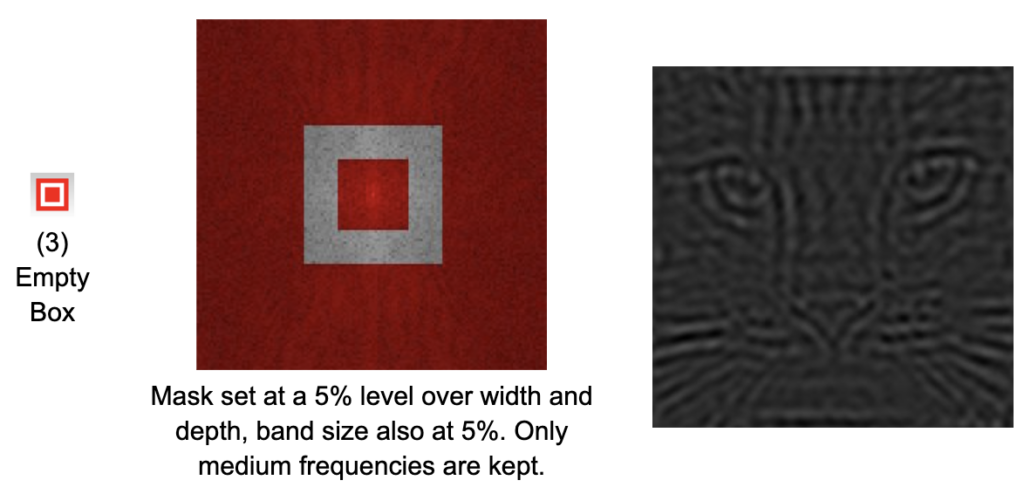
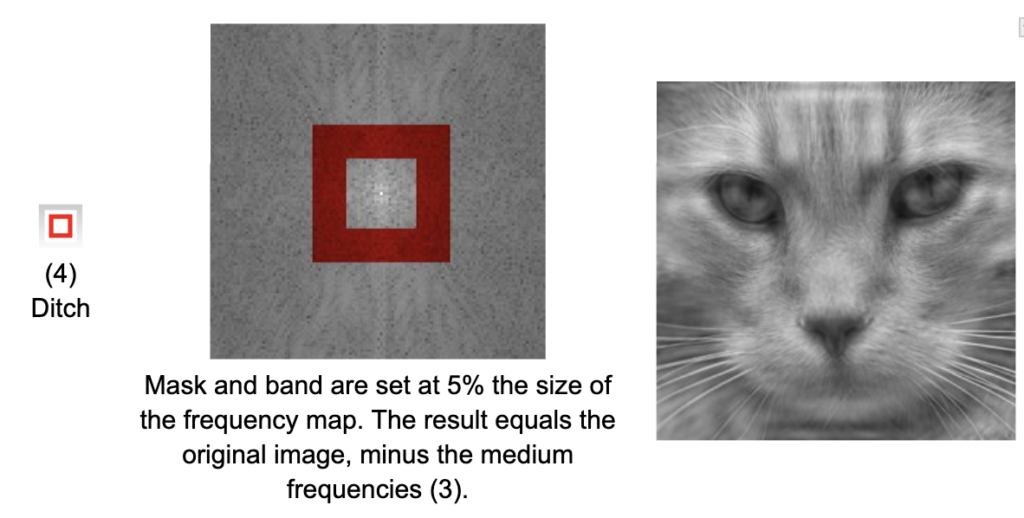
Explore the fourier transform and think about adding waves together in the context of stacked voltages – each row of a picture is a series of pixel intensities.
Pictures are like an XY field where each pixel color represents the height of the wave at that point.
You can do filters on those waves too!
Fourier Tools
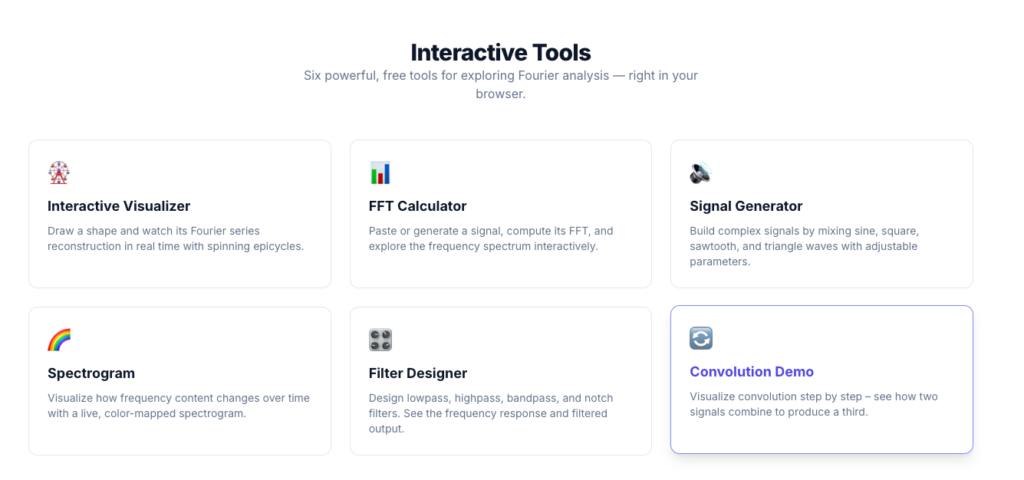
Weird website, not as cool as the others.
Spectrogram: works normally, is good. requires microphone
Interactive Visualizer: bad
Signal Generator: no promises
Filter Designer: very cool. make sure to change the filter cutoff frequency !!
Convolution Demo: couldn’t access through DOE wifi for some reason
FFT Calculator: couldn’t access through DOE wifi for some reason
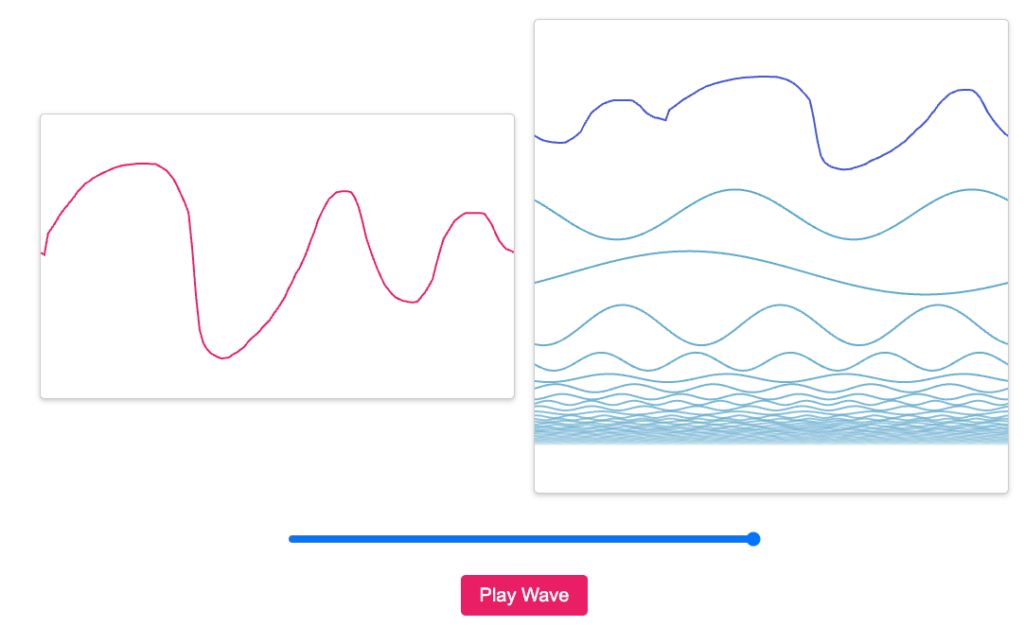
An Interactive Introduction to Fourier Transforms
This website lets you draw and then listen to your own waves.
It also shows you all the frequencies that constitute the wave that you drew.
Also has JPEG-related demos included, and more links at the bottom.